Meural

Meural made the Canvas, a digital picture frame for art that you control by waving a hand in front of it. I was the founding designer. Over two years I redesigned the apps that set the frame up and choose what it shows.

Role
Founding designer. All design, including the illustrations.
Worked with
Hardware and firmware engineers, user research and the content team.
Built for
iPhone, Android and the web, alongside the frame itself.
Before3.3

Stars in the App Store when I joined.

After4.7

Stars in the App Store two years later.

Setup50%

Fewer people gave up part-way through setting up their frame.

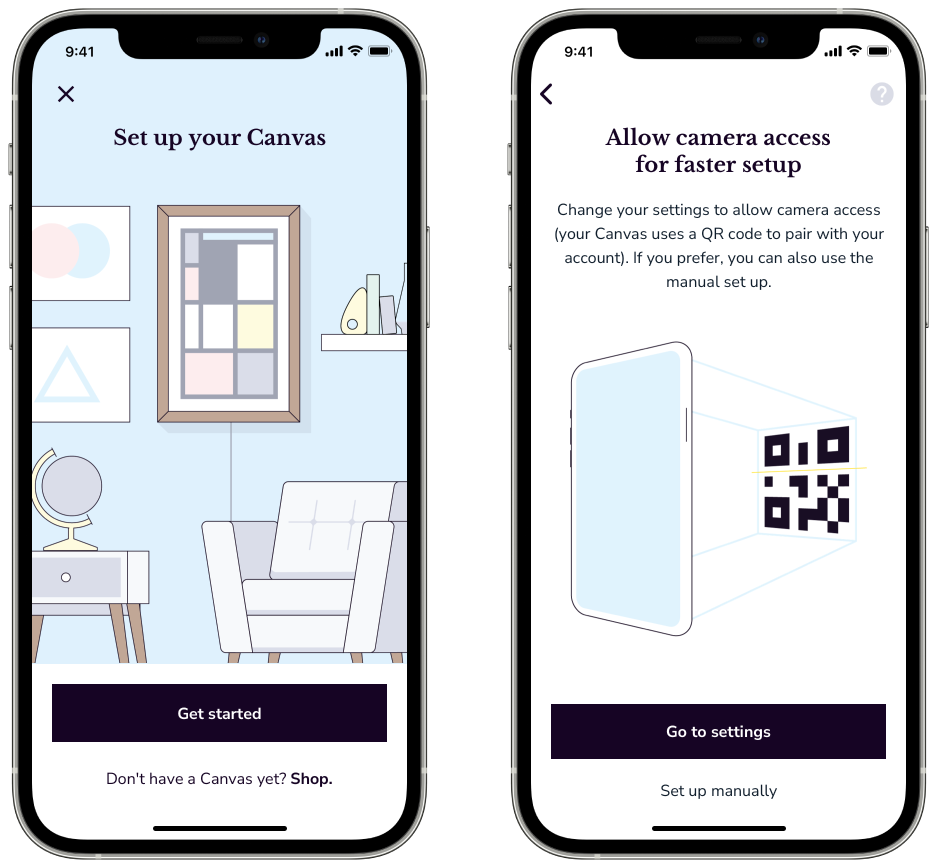
Two screens from setting up the frame: Set up your Canvas, with a drawing of a living room and a framed picture on the wall; and Allow camera access for faster setup, with a drawing of the frame showing a QR code.
During setup the frame shows a QR code and the phone reads it with its camera.
Meural’s own video shows the frame and the app together.

A frame with no keyboard

The Canvas could do very little until it was on Wi-Fi, and it had no keyboard to type a password with. Setup was where most new customers got stuck, and it was the biggest source of complaints.

I ran several studies with our researcher and changed the whole first hour with the product: the frame now shows a QR code that the phone reads, there is a printed instruction sheet in the box, the wording is plainer and the app asks for permissions at the moment it needs them. I drew the illustrations that walk people through it.

A full run through setup in the app.

After launch, half as many people abandoned setup.

A remote control for the wall

The app also works as a remote. I rebuilt the control screen to behave like a TV remote: swipe or tap to move through what is on the frame, and pull up a list to pick a specific artwork.
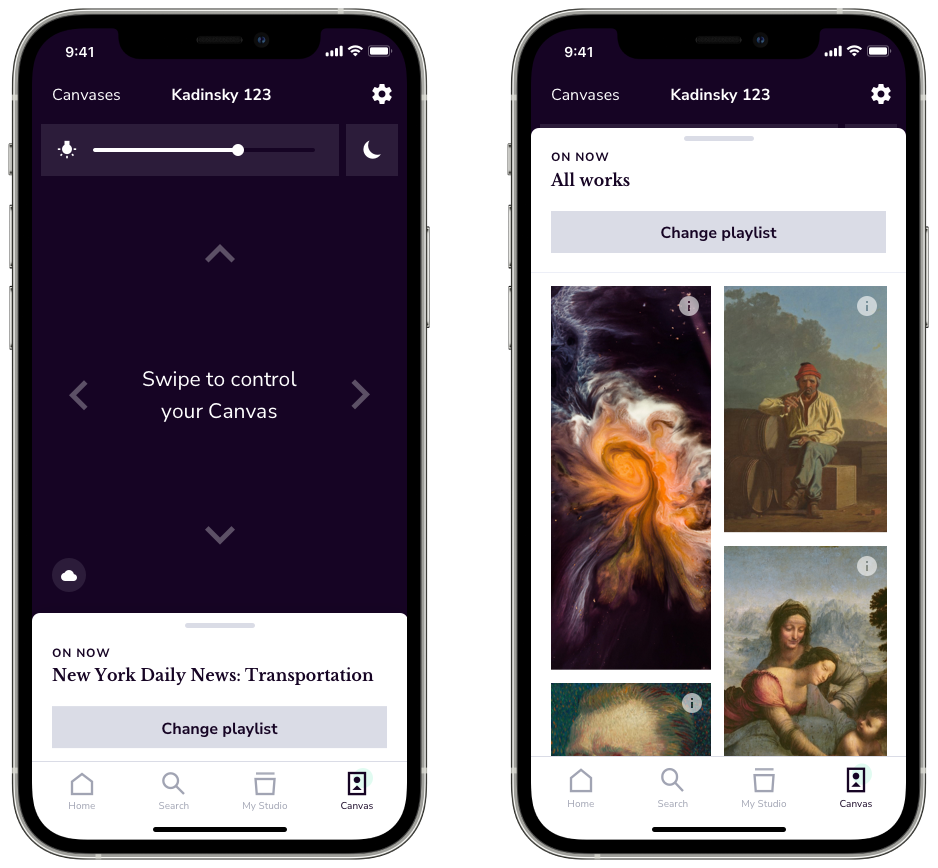
Two screens from the remote control: a dark pad reading Swipe to control your Canvas, with a brightness slider and arrows; and the list of artworks in the playlist now showing.
You swipe on the dark pad to change what’s on the frame, or pull up the playlist to pick an artwork.

The app and the frame could only say so much to each other, so I worked with the hardware and firmware engineers to find out what the screen could offer.

A reason to open the app

Once a frame was set up, most people had no reason to come back to the app. I proposed an art feed as its home page, showing what was new in the collection. It gave customers something to come back for, and it was where we showed new artists and partners.

With the content team I also built article pages for longer writing about pieces in the library. Customers asked for more of them.
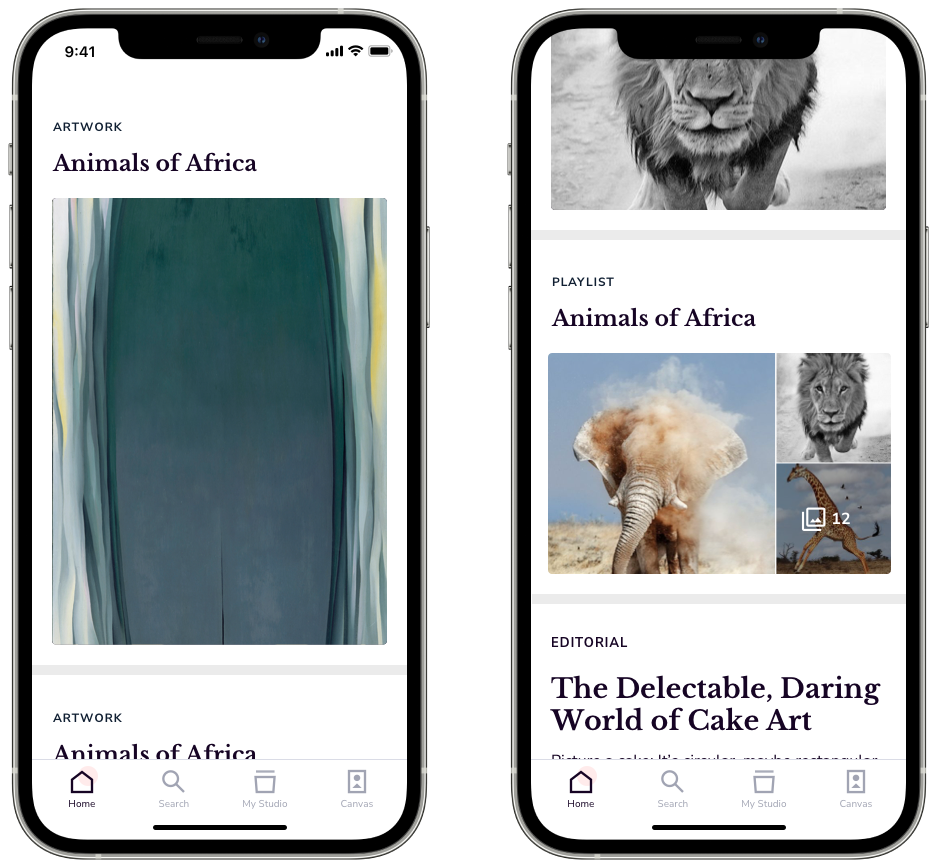
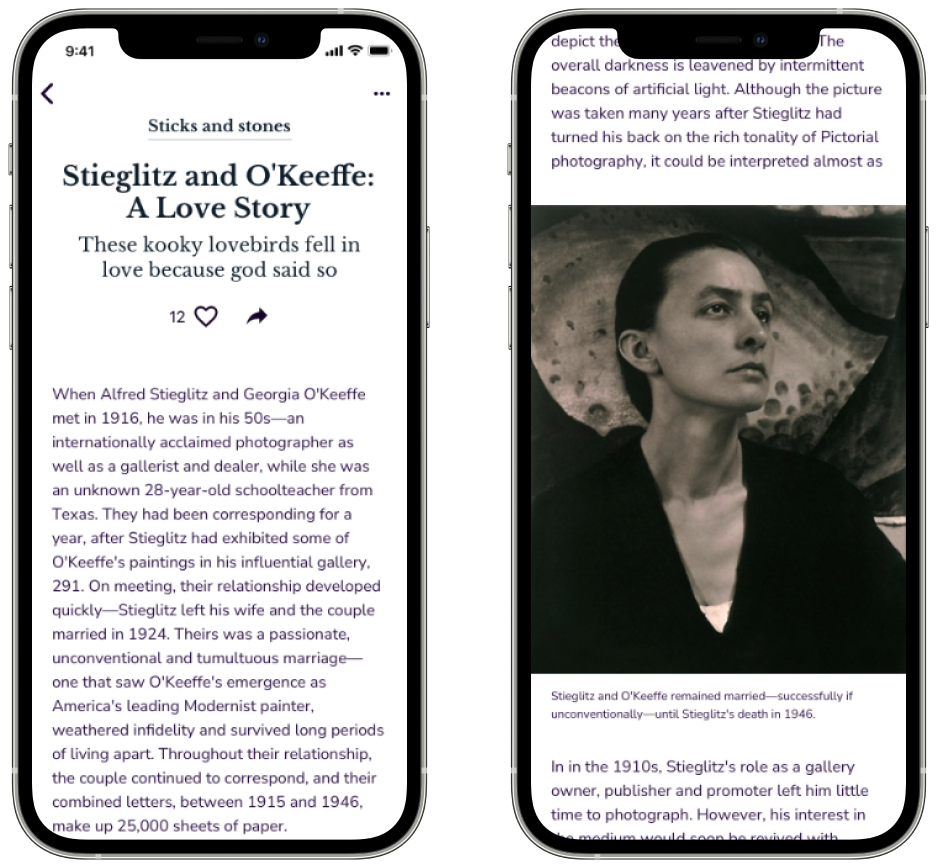
Two screens of the art feed, showing a painting, a playlist called Animals of Africa and an article called The Delectable, Daring World of Cake Art. Two screens of an article, Stieglitz and O’Keeffe: A Love Story, with a photograph of Georgia O’Keeffe.
The art feed, on the left, mixes new artworks, playlists and articles. On the right is one of the articles, about Stieglitz and O’Keeffe.

Art on a schedule

Customers could set the frame to show certain art at certain times, or to sleep at night. Setting that up one event at a time was tedious, so I added events that repeat by day of the week.
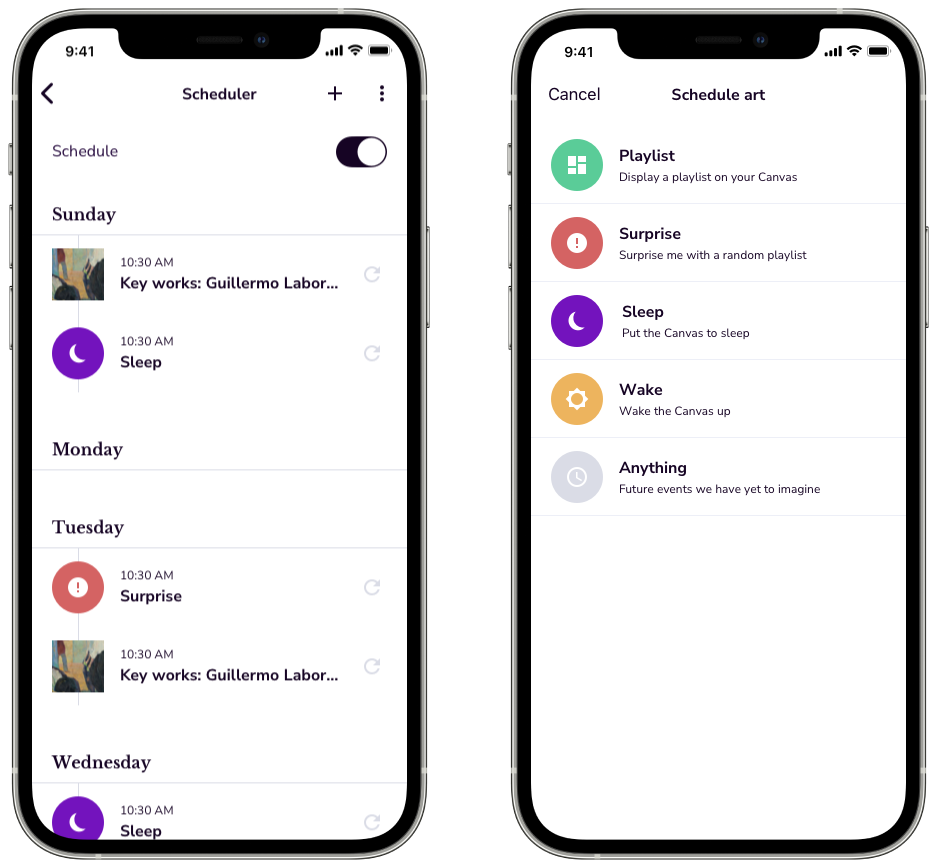
Two screens of the scheduler: a week with artworks and sleep times set for each day; and a list of things to schedule, including a playlist, a surprise, sleep and wake.
A week in the scheduler, with artworks and sleep times that repeat by day.

Results

The app’s rating went from 3.3 stars to 4.7, and half as many people gave up during setup. The app was translated into several languages.

Netgear bought Meural, and I stayed on through the acquisition.